- Published on
Part 3: Software Composition Analysis (SCA) with Trivy
- Authors

- Name
- Benson Macharia
- @benson-macharia
This article is a continuation of the previous post, where we introduced Semgrep in the DevSecOps pipeline to perform Static Application Security Testing (SAST).
In this article, we focus on integrating Trivy into the same DevSecOps pipeline to perform Software Composition Analysis (SCA) and generate a Software Bill of Materials (SBOM).
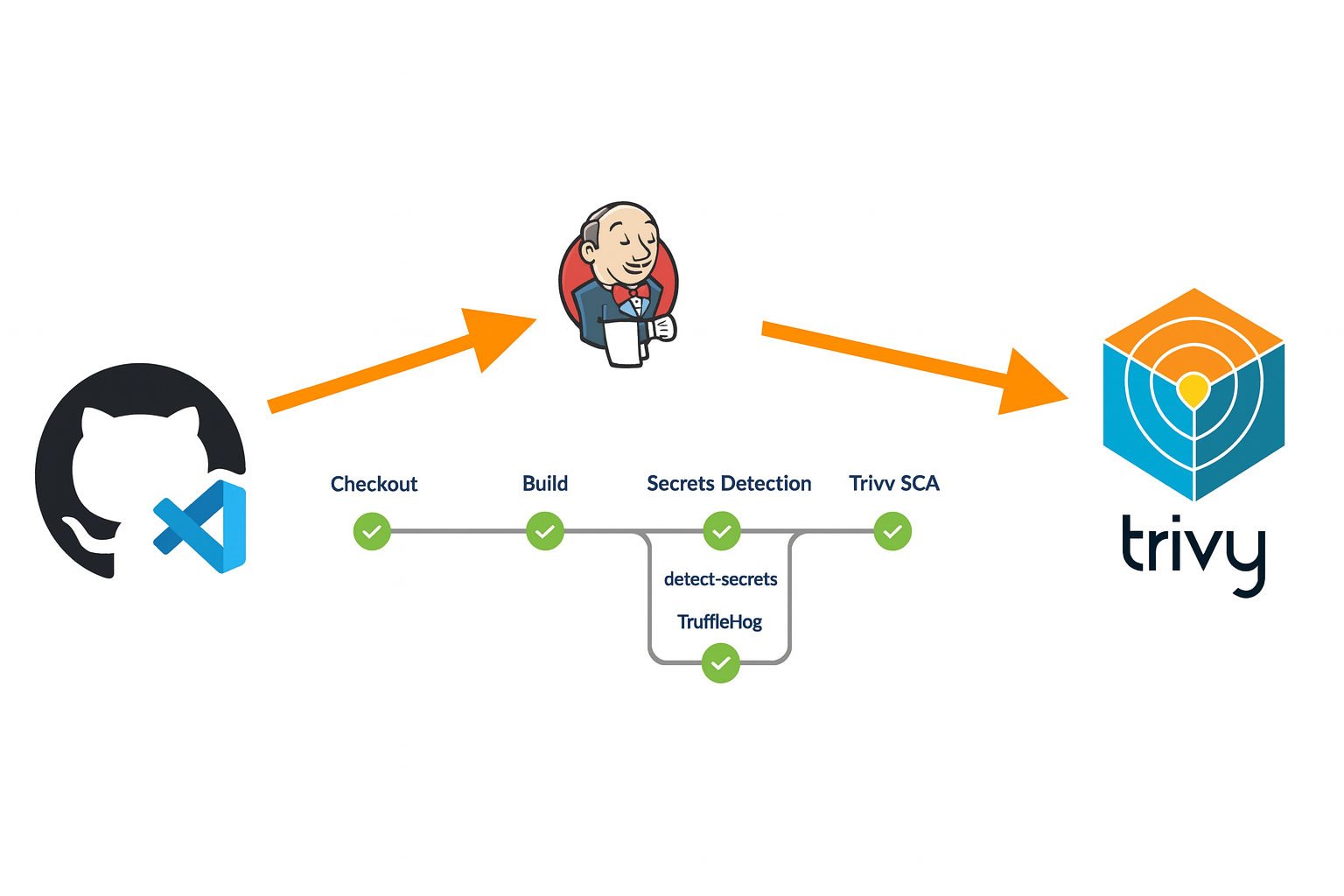
Software Composition Analysis (SCA)
Software Composition Analysis (SCA) is the process of identifying and analyzing third-party and open-source components used in an application to detect known security vulnerabilities, license risks, and outdated dependencies. Modern applications rely heavily on open-source libraries, which can introduce hidden risks if not properly managed.
Software Bill of Materials (SBOM)
Software Bill of Materials (SBOM) complements SCA by providing a structured inventory of all components, libraries, and dependencies included in an application, along with their versions and relationships.
In the following steps, we will install and configure Trivy in a Jenkins pipeline to perform Software Composition Analysis (SCA) and generate a Software Bill of Materials (SBOM).
Trivy is a lightweight and easy-to-use open-source security scanner that can identify known vulnerabilities in open-source dependencies, operating system packages, and container images. It also supports SBOM generation in industry-standard formats, making it well suited for modern DevSecOps pipelines.
Step 1: Install Trivy on the Jenkins EC2 Instance
To use Trivy in the Jenkins pipeline, it must first be installed on the EC2 instance where Jenkins is running.
SSH into the Jenkins EC2 instance and run the following commands to install Trivy using the official package:
sudo apt update
sudo apt install -y wget
wget https://github.com/aquasecurity/trivy/releases/latest/download/trivy_0.50.0_Linux-64bit.deb
sudo dpkg -i trivy_0.50.0_Linux-64bit.deb
- Verify the installation
$ trivy --version
Version: 0.67.2
Step 2: Choose Trivy Scan Mode for SCA
Trivy supports multiple scan modes depending on what needs to be analyzed. For Software Composition Analysis (SCA), Trivy uses filesystem scanning, which inspects dependency definition files in the application source code.
Trivy automatically detects common dependency files such as:
package.jsonrequirements.txtpom.xmlgo.modcomposer.lock
This makes Trivy suitable for scanning applications without requiring additional configuration.
$ trivy fs .
Step 3: Add Trivy to the Jenkins Pipeline
- Once Trivy is installed, the next step is to integrate it into the Jenkins pipeline. Trivy will scan the source code that was checked out during the pipeline’s checkout stage. The SCA scan is executed in the Jenkins workspace and the results are saved in JSON format for vulnerability analysis.
stage('SCA Scan') {
    steps {
        echo 'Running Trivy SCA scan ...'

        // Run Trivy SCA scan
        sh 'trivy fs --format json --output trivy-sca-results.json .'

        // Archive scan results
        archiveArtifacts artifacts: 'trivy-sca-results.json', allowEmptyArchive: true

        // Read and print results to console
        script {
            def trivyResults = readFile('trivy-sca-results.json')
            echo "Trivy SCA Results: ${trivyResults}"
        }
    }
}
Step 4: Generate SBOM
- The SBOM is generated as a separate pipeline stage using Trivy in CycloneDX format. This file provides a complete inventory of application dependencies and can be used for compliance and supply chain security purposes.
stage('SBOM Generation') {
    steps {
        echo 'Generating SBOM using Trivy ...'

        // Generate SBOM
        sh 'trivy fs --format cyclonedx --output sbom.json .'

        // Archive SBOM
        archiveArtifacts artifacts: 'sbom.json', allowEmptyArchive: true
    }
}
Everything together
The final consolidated Jenkins pipeline script will be as shown below.
pipeline {
    agent any

    stages {

        stage('Checkout') {
            steps {
                echo 'Cloning the code from our repo ...'
                git branch: 'master', url: 'https://github.com/ScaleSec/vulnado.git'
            }
        }

        stage('Secrets Detection') {
            parallel {

                stage('TruffleHog') {
                    steps {
                        echo 'Running TruffleHog scan ...'
                        sh 'trufflehog git https://github.com/ScaleSec/vulnado.git --json --no-update > trufflehog-results.json'
                        archiveArtifacts artifacts: 'trufflehog-results.json', allowEmptyArchive: true
                    }
                }

                stage('Detect Secrets') {
                    steps {
                        script {
                            sh 'detect-secrets scan > detectSecretsResults.json'
                            archiveArtifacts artifacts: 'detectSecretsResults.json', allowEmptyArchive: true
                        }
                    }
                }
            }
        }

        stage('SAST Scan') {
            steps {
                echo 'Running Semgrep SAST scan ...'
                sh 'semgrep --config p/ci --json > semgrep-results.json'
                archiveArtifacts artifacts: 'semgrep-results.json', allowEmptyArchive: true
            }
        }

        stage('SCA Scan') {
            steps {
                echo 'Running Trivy SCA scan ...'
                sh 'trivy fs --format json --output trivy-sca-results.json .'
                archiveArtifacts artifacts: 'trivy-sca-results.json', allowEmptyArchive: true
            }
        }

        stage('SBOM Generation') {
            steps {
                echo 'Generating SBOM using Trivy ...'
                sh 'trivy fs --format cyclonedx --output sbom.json .'
                archiveArtifacts artifacts: 'sbom.json', allowEmptyArchive: true
            }
        }
    }
}
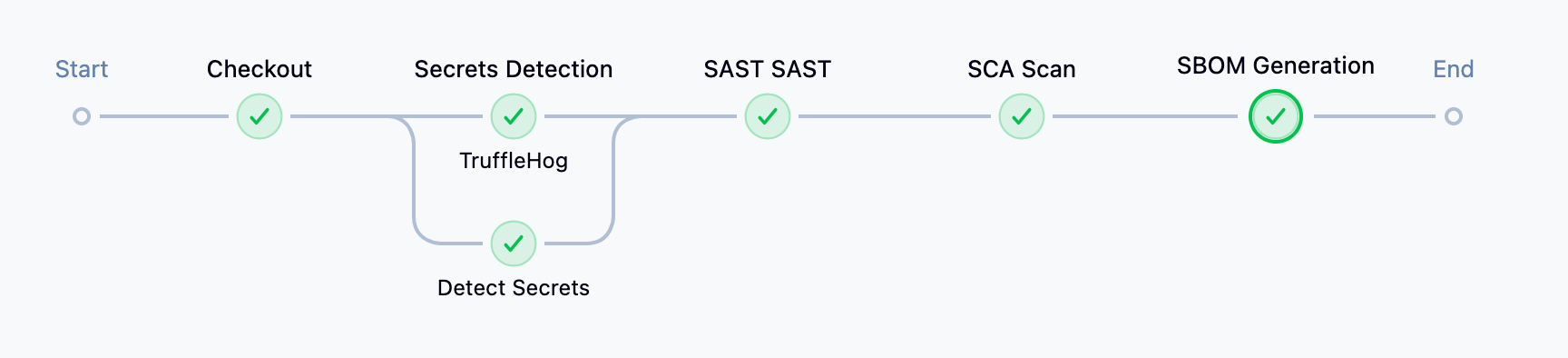
The pipeline overview will be similar to the image below, and the SCA scan results can be viewed in the pipeline logs or from the trivy-sca-results.json file, while the generated SBOM is available as the sbom.json artifact.
Next steps
This concludes Part 3 of the series. In the upcoming Part 4, we will continue extending the DevSecOps pipeline by adding more advanced security stages, including container image scanning, infrastructure configuration scanning, and policy enforcement to further strengthen application and supply chain security.